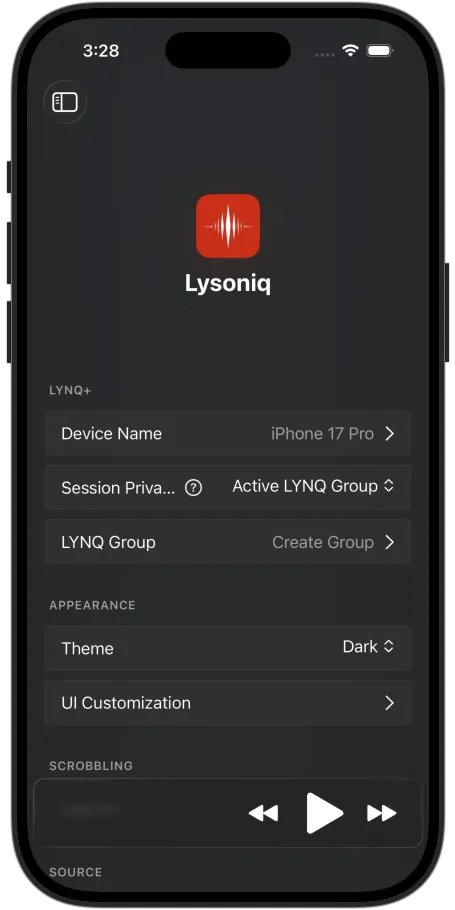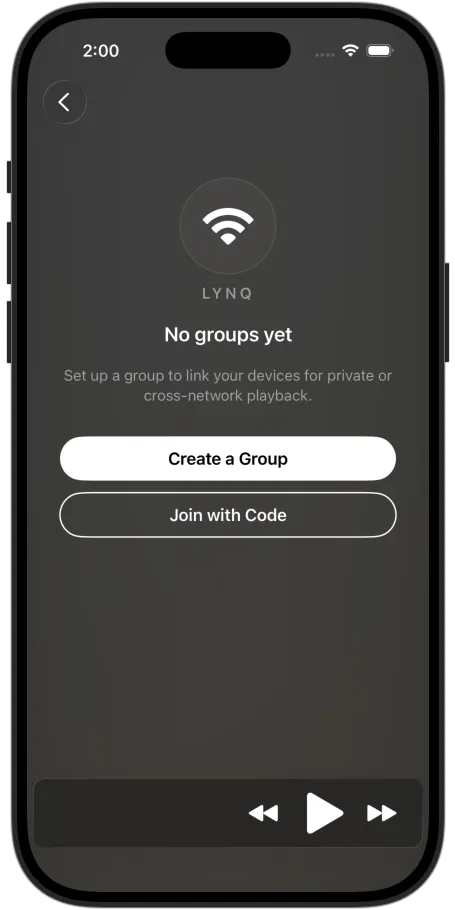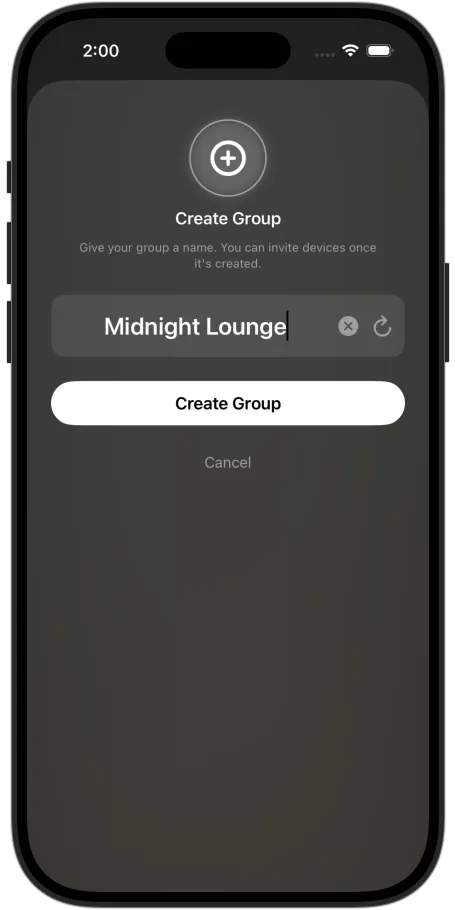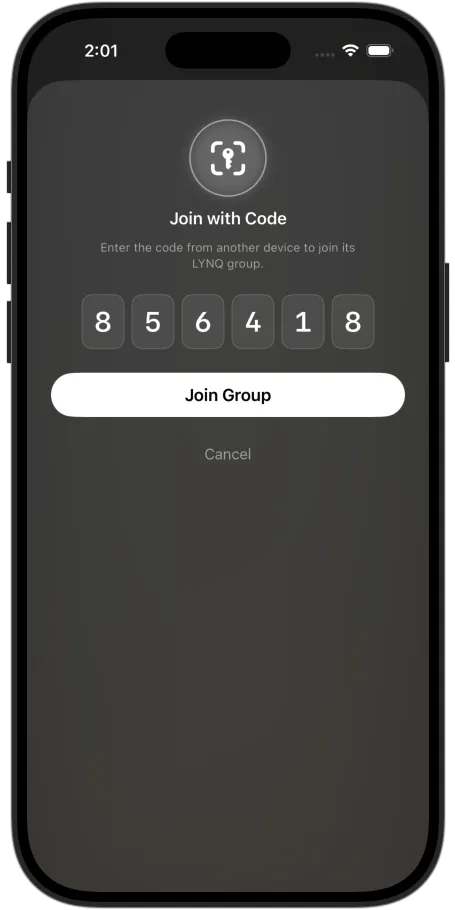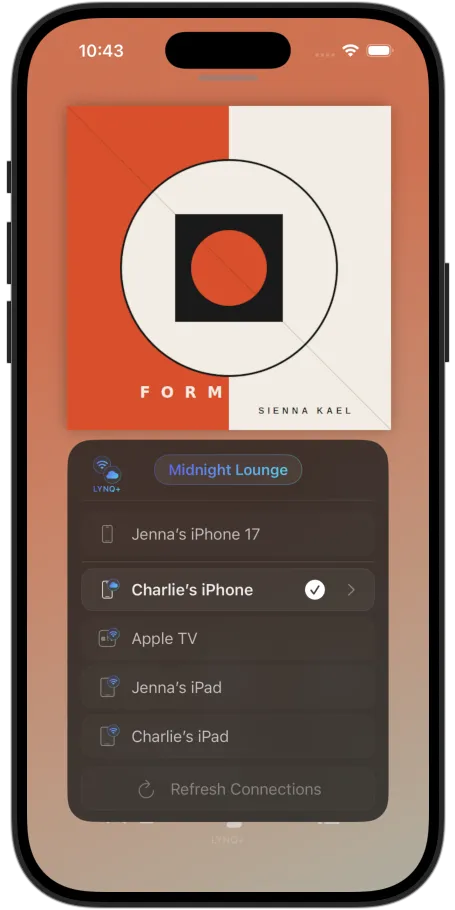
LYNQ connects your Lysoniq devices into a shared listening session — one plays as the source, and the rest become controllers.
LYNQ Groups makes that connection private over Wi-Fi, and LYNQ+ extends that group across 5G/LTE and other Wi-Fi networks.
What is LYNQ
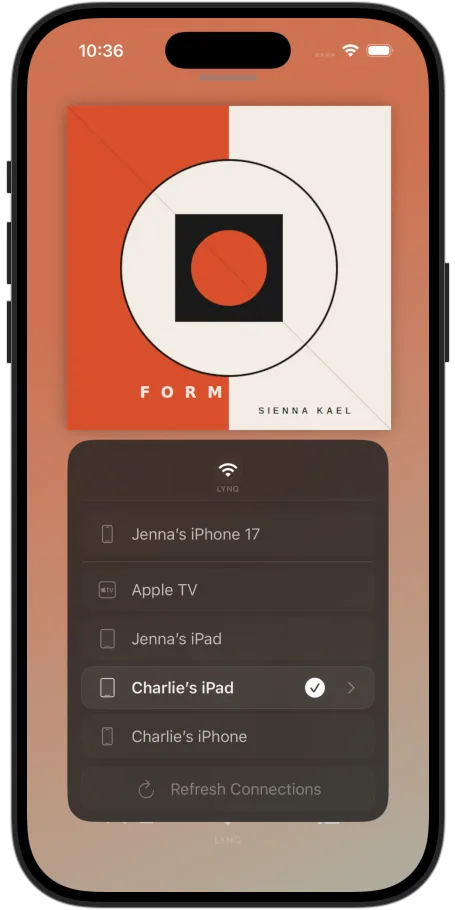
LYNQ is what lets your iPhone, iPad, Mac, Apple TV and Vision Pro find each other and control playback between them. Pick any device as the source; control it from any other. It's the backbone of Lysoniq's multi-device experience — and it's built in.
Make one device the source feeding your DAC or hi-fi; the rest become full remote controllers. Swap roles whenever you like.
Browse, queue, skip, and adjust — everything stays perfectly in sync across all devices.
On the same Wi-Fi, your devices discover each other automatically. No account, no setup — install Lysoniq and they're connected.
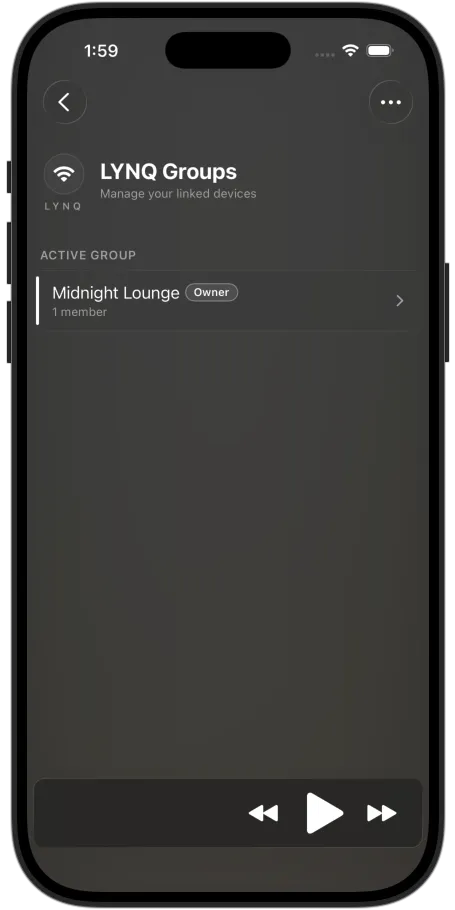
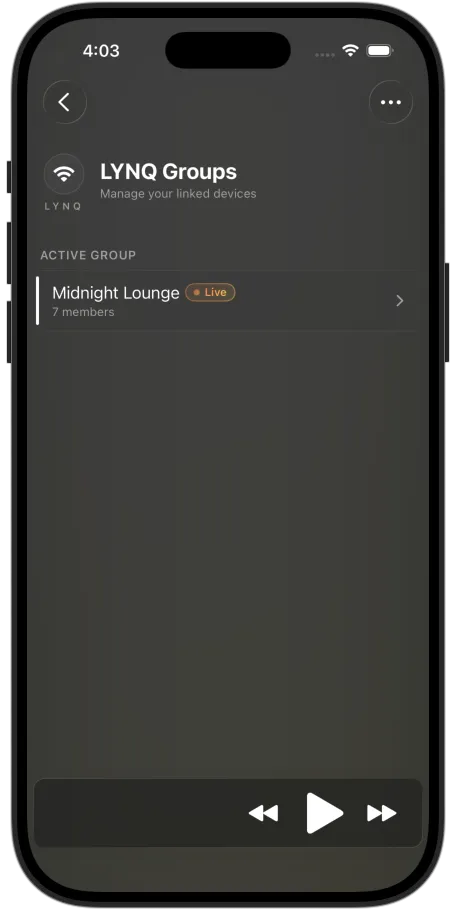
By default, LYNQ is open — anyone running Lysoniq on your Wi-Fi can join your session. LYNQ Groups makes that connection private: gather your devices into a group and lock your session to just them. It's the foundation that LYNQ+ later extends across networks.
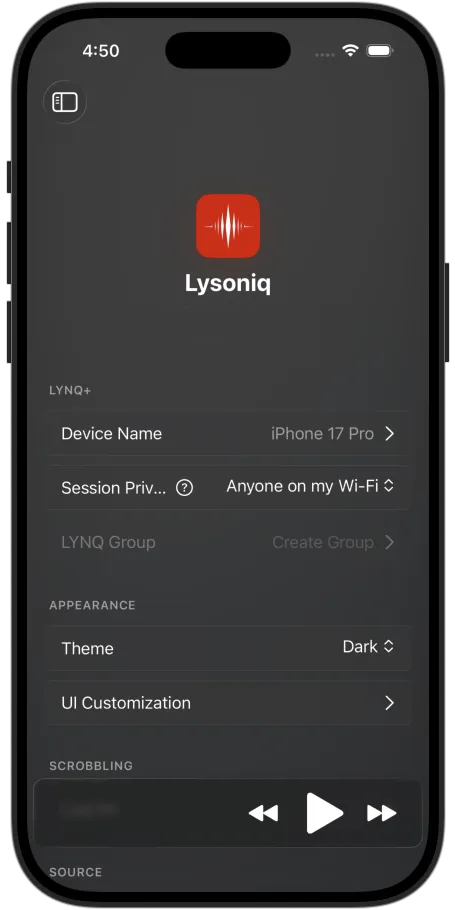
One setting decides who can join: Anyone on my Wi-Fi for an open setup, or Active LYNQ Group to lock your session to your group's devices only.
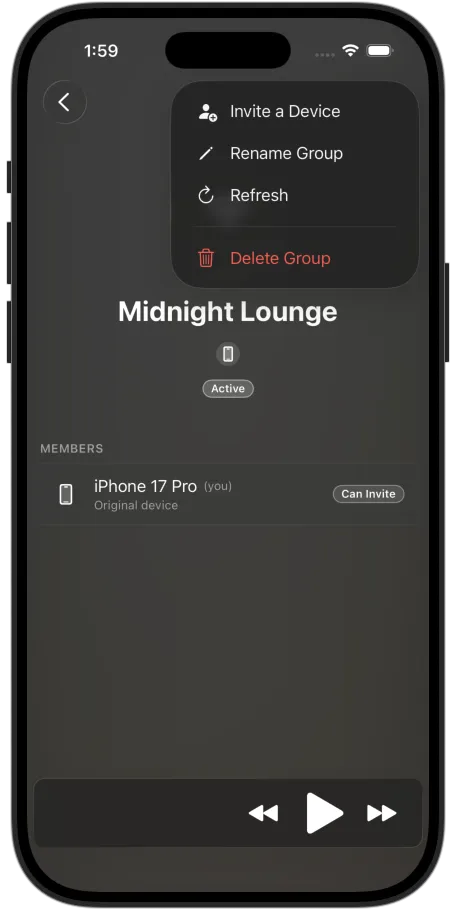
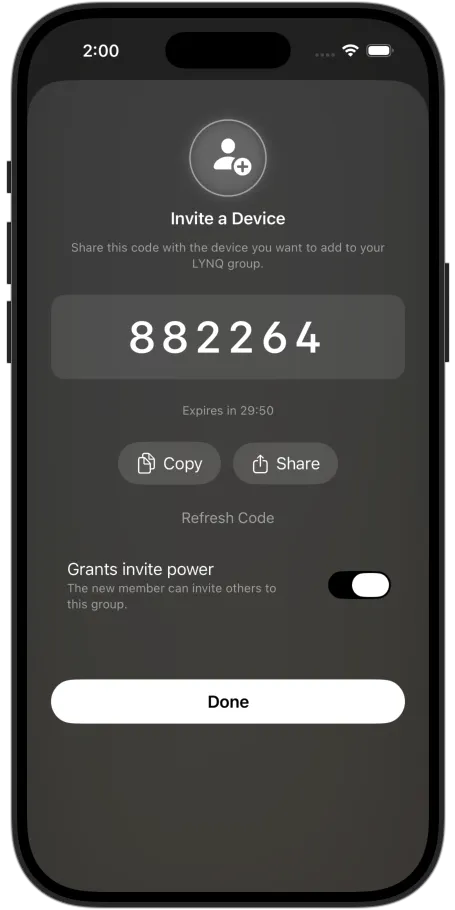
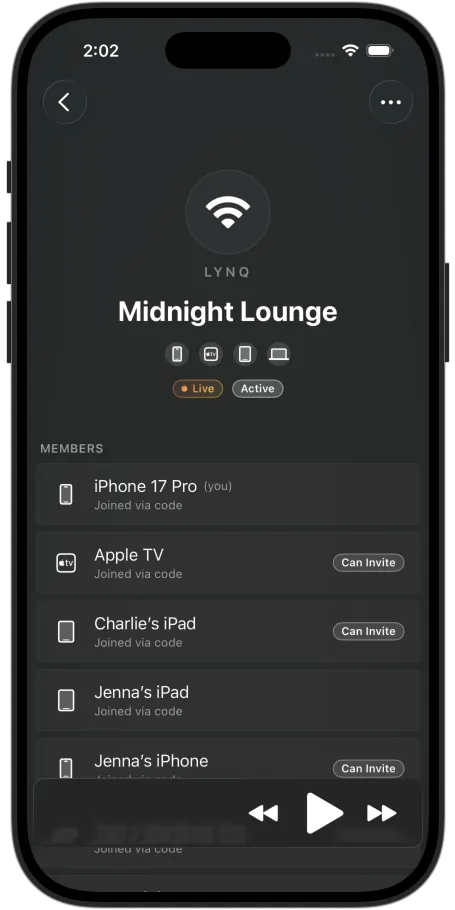
Add a device by using the invite code on one and entering it on the other — including someone on a different Apple ID. You can let invited devices add others, too.
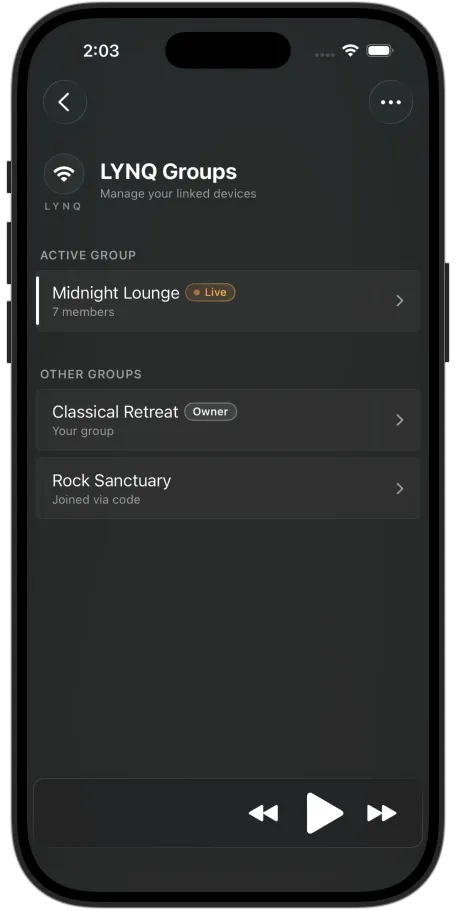
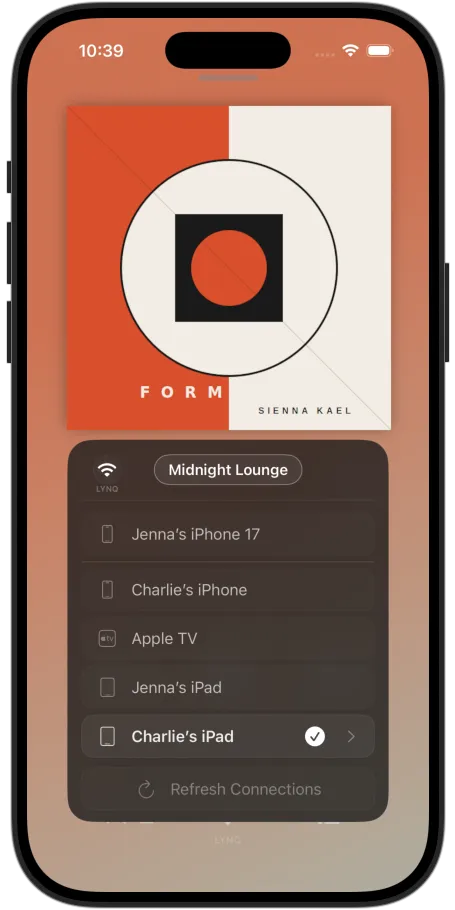
Keep more than one group — add or remove them as you wish. The one you set as Active defines the devices able to connect and control the session, so switching groups changes your connected devices and updates your music queue to that session's.
Each group is its own session — its own devices and its own active source. Switch groups to control a different set of devices with a different source, all from the one device.
LYNQ+ removes the same-network requirement — keeping your group connected over cellular (5G / LTE) and across different Wi-Fi networks. If your devices aren't always on the same network, LYNQ+ keeps them in reach anywhere you have a signal.
Not on Wi-Fi? Over 5G or LTE, your group stays connected — control and stay in sync wherever you are.
Devices don't have to share a Wi-Fi network anymore. Whatever connection each one is on, they still reach each other.
Move between Wi-Fi and cellular without thinking about it. Back on your home network, Lysoniq drops to a direct local connection automatically.
LYNQ+ relays only your control commands, encrypted. No ads, no tracking — and your music itself never passes through a server.
At a glance
| LYNQ | LYNQ+ | |
|---|---|---|
| Private session (Active LYNQ Group) | ✓ | ✓ |
| Add devices with a code | ✓ | ✓ |
| Multiple groups, switch active | ✓ | ✓ |
| Control on the same Wi-Fi | ✓ | ✓ |
| Control over cellular (5G / LTE) | — | ✓ |
| Control across different networks | — | ✓ |
LYNQ is built into Lysoniq. LYNQ+ is a subscription.
Walkthroughs
Go from the open default to your own private group, add the rest of your devices, and switch between groups whenever you like.
Out of the box, anyone on your Wi-Fi can join. Create a group of your own and your session locks to it.
Share a code with each device you want in the group — your own, or friends or family on a different Apple ID.
Keep separate groups for different setups and switch which one is Active whenever you like.
Your device view reflects the mode you're in — open, private, or extended with LYNQ+.
Anyone on my Wi-Fi
Open to any Lysoniq device on your network.
Active LYNQ Group
Only the devices in your group.
LYNQ+
Your group, across cellular and Wi-Fi.
Good to know
LYNQ is the system that connects your devices to share a session for playback and control. LYNQ Groups isolates that session to just your invited devices. LYNQ+ extends a group's reach beyond Wi-Fi — over cellular and across different networks.
No. LYNQ and LYNQ Groups are built in, so connecting devices or using groups on the same local network is included. LYNQ+ enables connections beyond your local network.
No. LYNQ+ relays only your control commands across networks. Audio still streams directly from Apple Music on your source device exactly as before, enabling full remote Hi-Res Lossless across 5G/LTE.
LYNQ doesn't change how Apple Music works. Each source plays from the Apple Music account signed in on that device, and a subscription streams to one device at a time. Playing different sources simultaneously means each source needs its own Apple Music subscription — for example, different members of a Family plan. Switching your active group changes which session you control; it doesn't add simultaneous streams to a single plan.
Any device running Lysoniq — iPhone, iPad, Mac, Apple TV and Vision Pro. Each device joins by entering a code, including devices on a different Apple ID.
Both arrive together in Lysoniq's next update — LYNQ Groups built in, LYNQ+ as an optional subscription. This page will be updated at launch.
Get Started
LYNQ Groups and LYNQ+ arrive together in Lysoniq's next update.
Download on the App StoreAvailable for iPhone, iPad, Mac, Apple TV & Vision Pro