
web.lysoniq.app
Lysoniq lives on Apple devices — but the remote doesn't have to. Open Web Remote on any device with a browser and it becomes a full Lysoniq controller. No second Apple device required.
Works in any modern browser
What it is
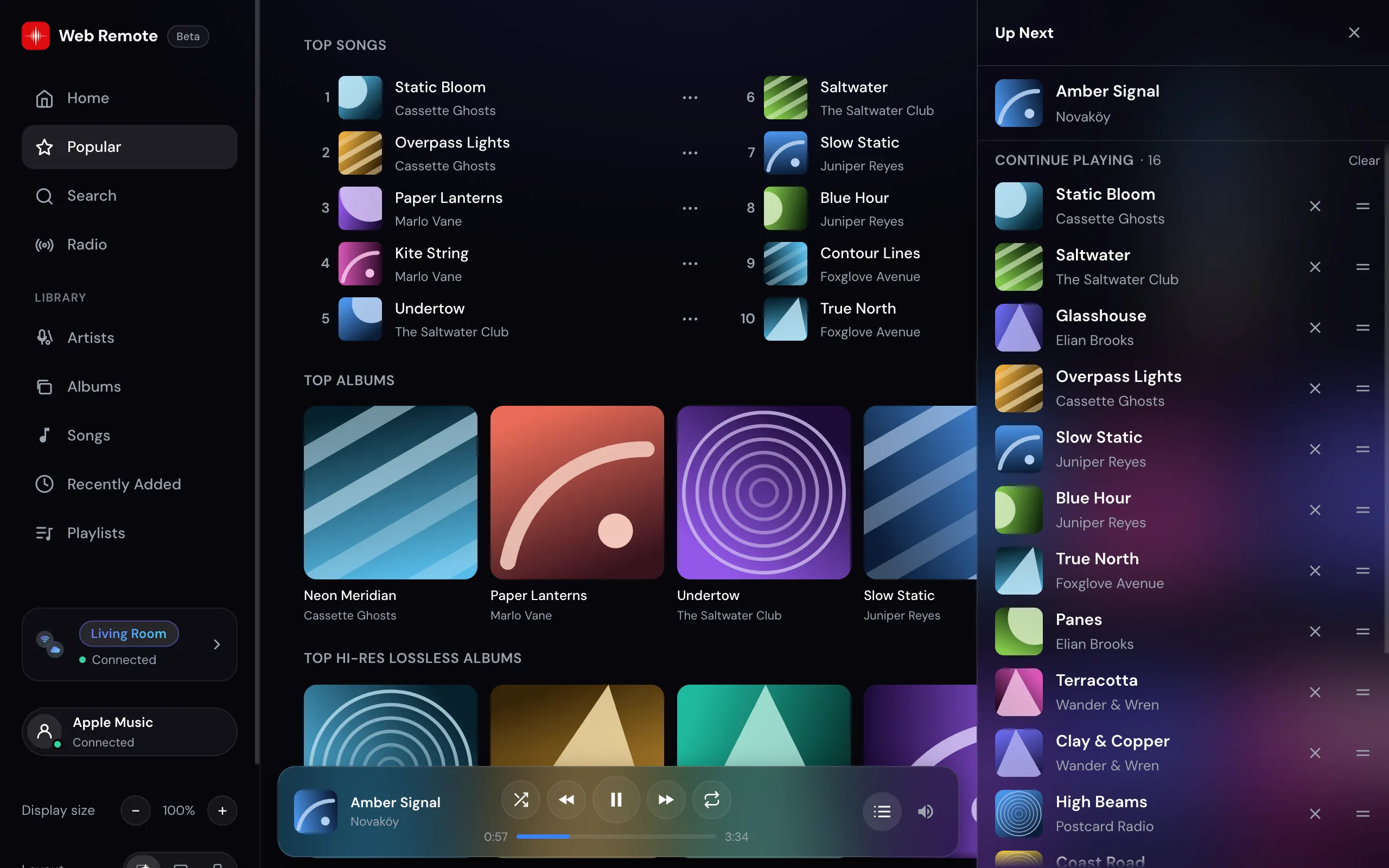
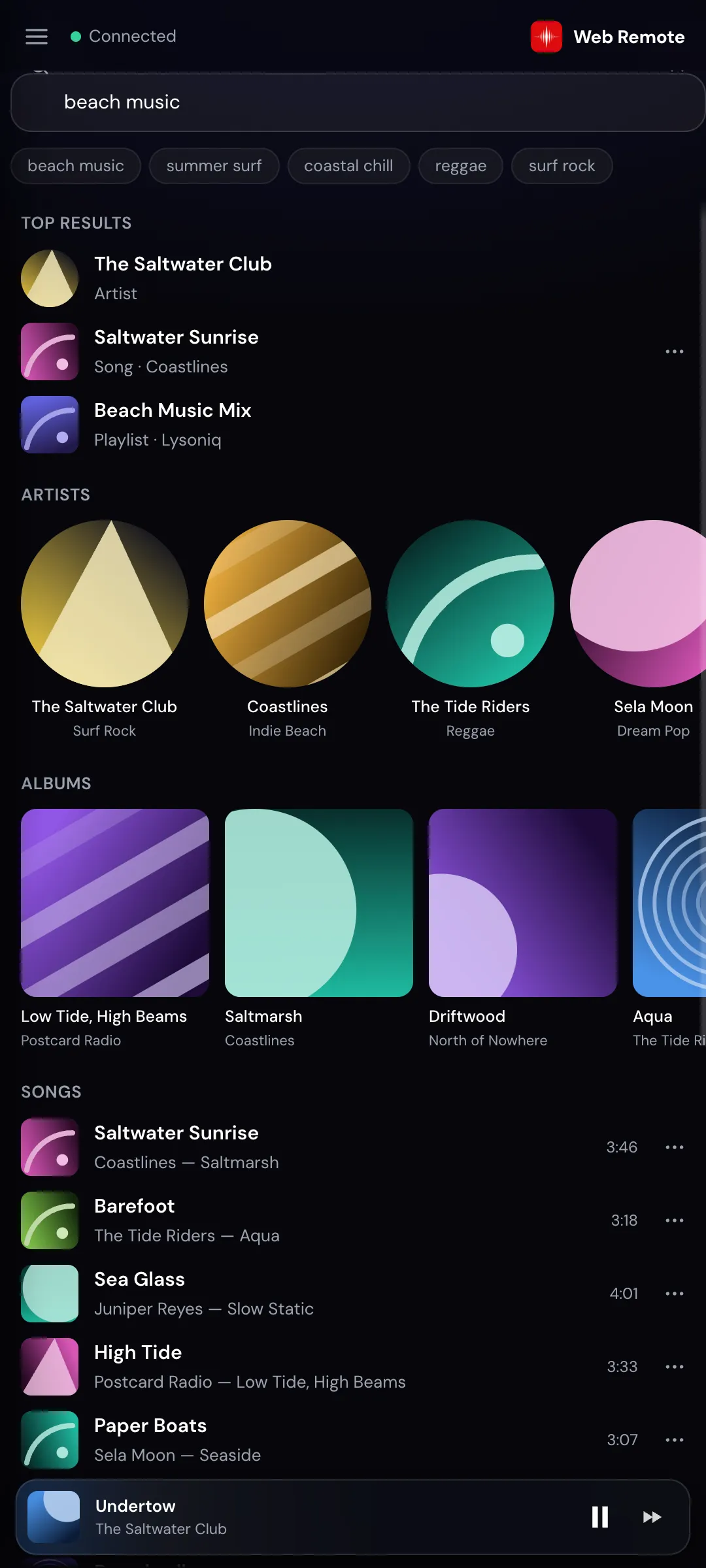
The Web Remote brings the Lysoniq experience to the browser — home, search, your library, now playing, the queue. It looks and works like the app, and it drives a Lysoniq device that's doing the actual playback.
Not a stripped-down page with a play button — the whole Lysoniq browsing and control experience, running in a browser tab.
The Web Remote never plays or streams music itself. Audio stays on your Lysoniq device, straight from Apple Music — the browser just tells it what to do.
No app store, no download, no account to create here. Open one link, enter the LYNQ Group join code, and you're controlling playback. Add it to your home screen if you want it app-like.
Any device
Controlling Lysoniq used to mean reaching for another Apple device. Now anything you already own — as long as it has a modern web browser — can be the remote. No spare Apple device required.
An Android phone, the family PC, a Linux laptop, an old iPad that can't update anymore — any of them can drive the music playing on your hi-fi.
What it can do
This isn't just play, pause and skip. The Web Remote mirrors the app: browse your whole world of music, find anything, build the queue, and control playback in detail — all from the browser.
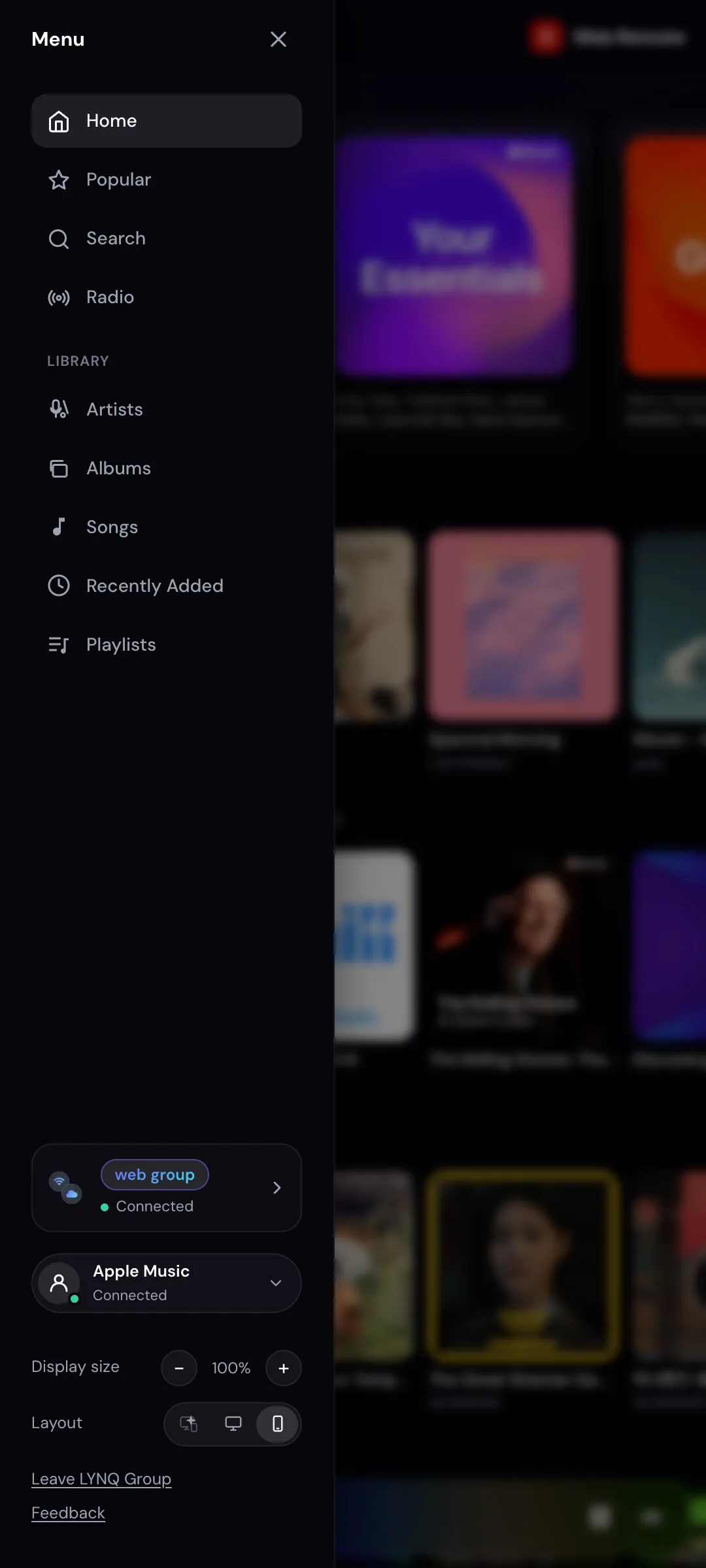
Home, popular, radio stations, and your full library — recently added, playlists, songs, albums and artists. Dive into any album or artist page.
Find any song, album, artist or playlist and send it straight to the playing device — play now, play next, or add to the end of the queue.
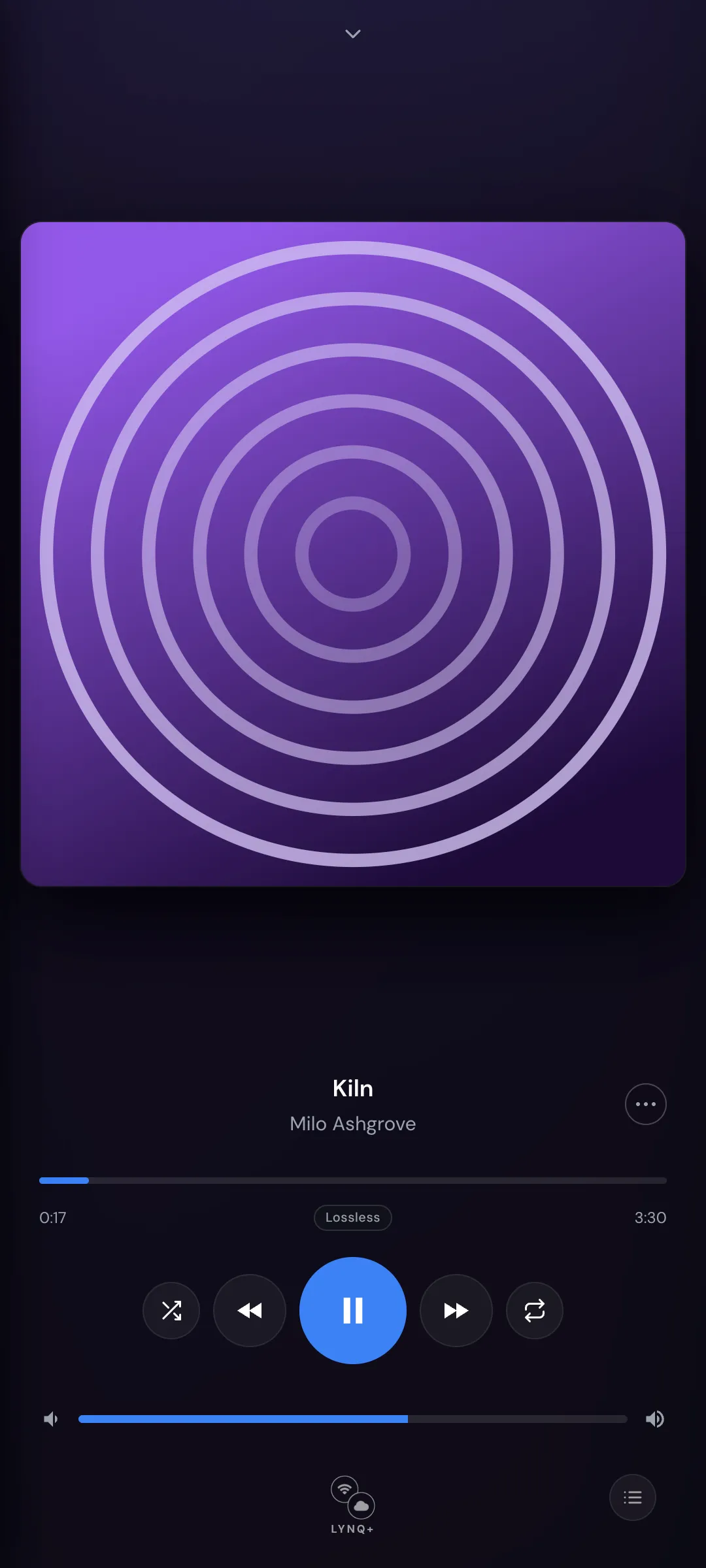
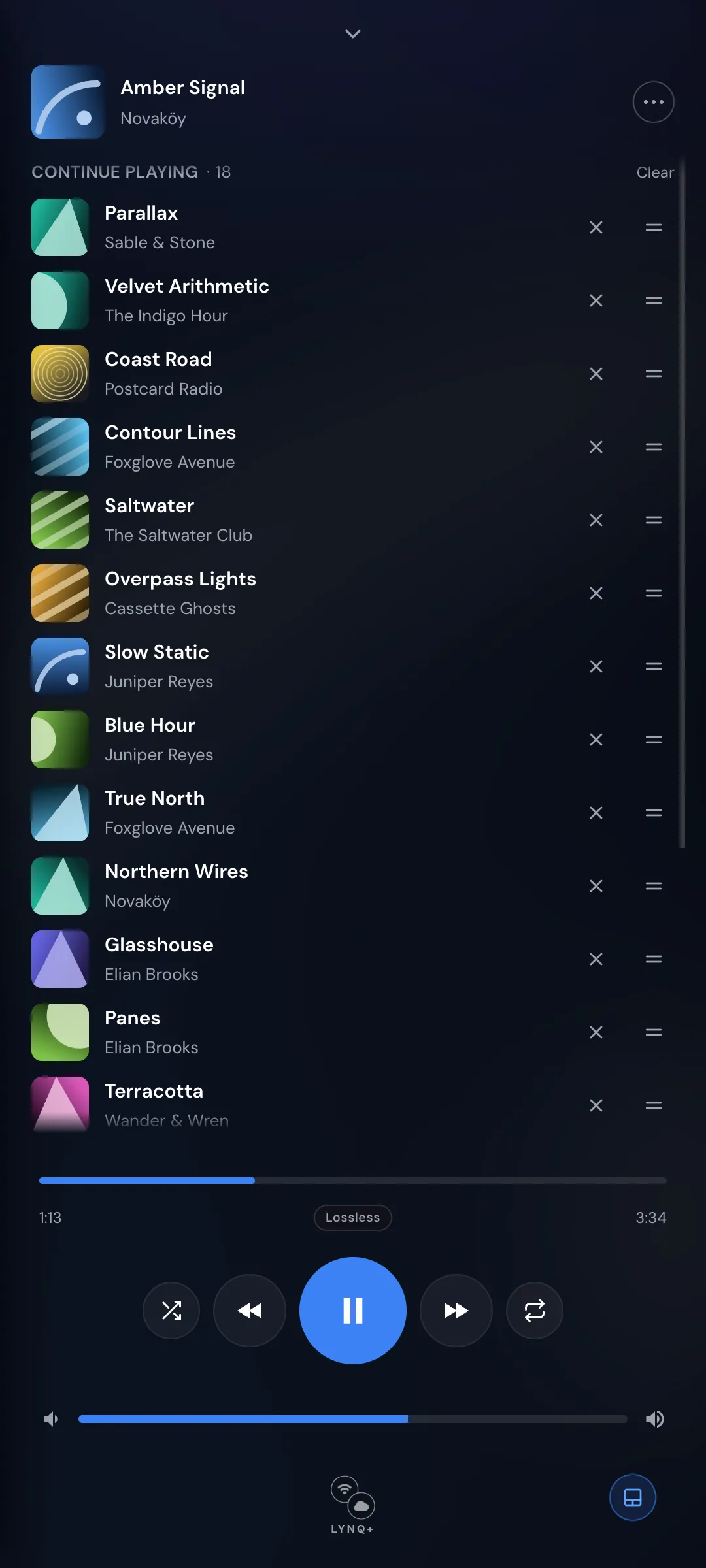
See the current track, full album artwork, title and artist, with a live progress scrubber. Tap into an immersive full-screen now-playing view.
See what's coming, jump to any upcoming track, and manage up-next — the same shared session as the app and every other connected device.
Play, pause, skip, seek by scrubbing, adjust volume, and toggle shuffle and repeat — everything you reach for while a track is playing.
More than one Lysoniq device in your group? Pick which one is playing — move the music from your Mac to the Apple TV without getting up.
Everything stays perfectly in sync across the app on every device and the Web Remote — because it's all one shared LYNQ+ session.
How it works
The Web Remote can't stream or output audio — and it doesn't need to. It sends your commands to a Lysoniq device, which keeps playing straight from Apple Music. Your music never passes through a server.
Android, PC, Linux — the Web Remote sends control commands only.
Carries your commands, encrypted in transit. No audio, no ads, no tracking.
Plays from Apple Music into your DAC or hi-fi — full Hi-Res Lossless, unchanged.
Because the Web Remote is only a controller, it needs a Lysoniq device with an Apple Music subscription to actually play the music.
Set it up
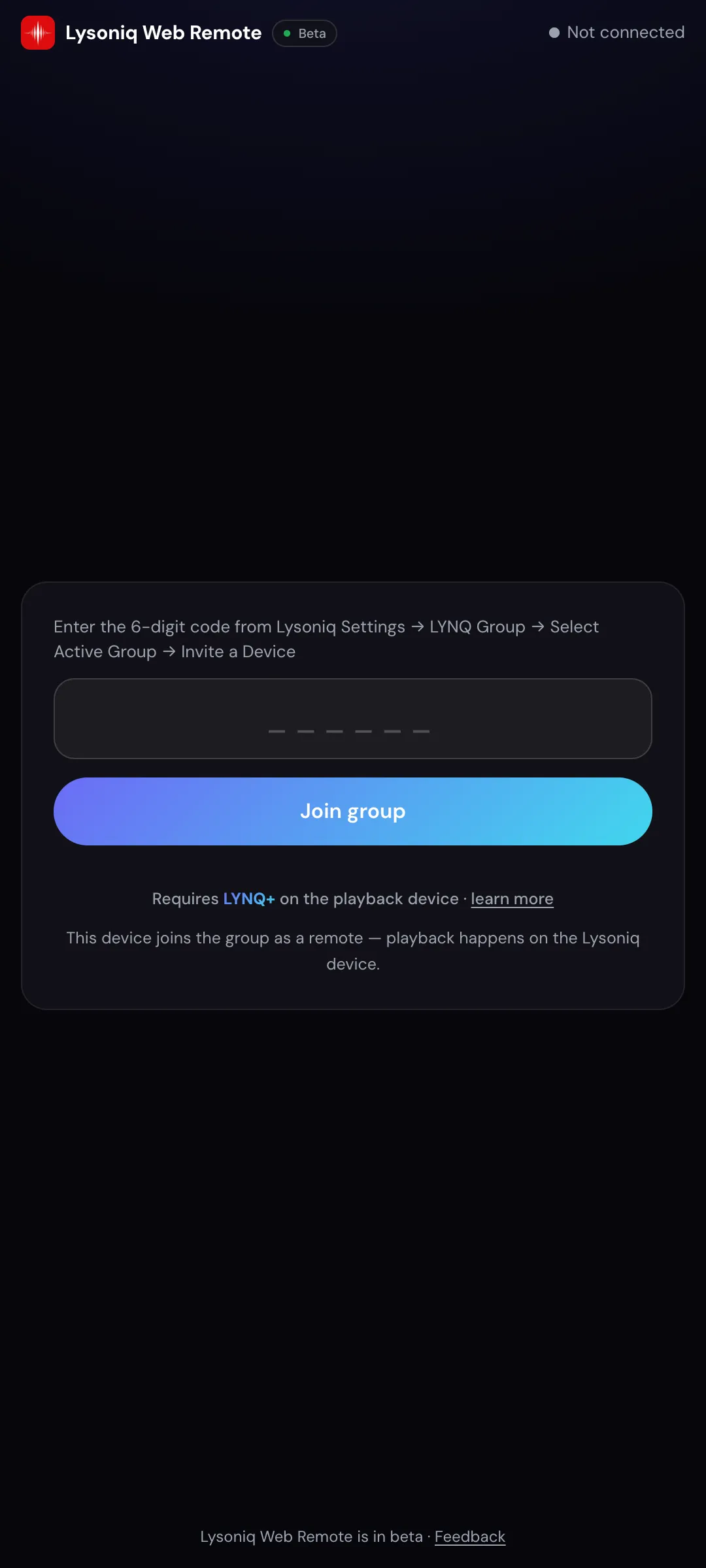
Enter the join code from the Lysoniq app and the browser connects to your session — near-instantly. No account, no setup.
Go to web.lysoniq.app in any browser on the device you want to use as a remote.
In Lysoniq on your playback device: Settings → LYNQ Group → Active Group → Invite a Device.
Type the code into the browser and tap Join group. It connects to your session right away.
Browse, search and control playback — from anywhere you have a signal.
Connect your Apple Music account in the browser to see your own library, playlists and personalized Home.
Make it an app
Install the Web Remote and it runs like a real app — its own icon, full-screen, no browser bars. There's still nothing to download; your browser does it in a couple of taps.
Use Safari
Chrome, Edge, Samsung Internet, Firefox…
Chrome or Edge
Works in Safari on iPhone & iPad, and in Chrome, Edge, Brave, Samsung Internet, Opera and Firefox on Android. On a computer, install from Chrome or Edge. Installing is optional — the Web Remote works the same in a normal browser tab.
The one requirement
LYNQ (pronounced “LINK”) connects your Lysoniq devices into one shared session. LYNQ+ extends that session beyond your local Wi-Fi — over cellular and across networks — which is exactly what lets a browser anywhere reach in and act as a remote. So the Web Remote needs an active LYNQ+ subscription on your playback device.
LYNQ+ is set up once in the Lysoniq app on the playback device. The Web Remote itself is free to use.
No separate purchase for the browser. Any device you point at web.lysoniq.app can join.
Only your control commands are relayed, encrypted in transit. Your music never passes through a server.
Good to know
No. It's a remote control, not a player. The music plays on your Lysoniq device, straight from Apple Music. The browser only sends commands and shows you what's happening.
A Lysoniq device (iPhone, iPad, Mac, Apple TV or Vision Pro) with an active LYNQ+ subscription doing the playback, and any other device with a modern web browser to be the remote. Then join with a 6-digit code.
No. It runs in the browser — no app store, no download. If you'd like it to feel like an app, you can add it to your home screen and launch it full-screen.
Seeing your personal Home and library means signing in to Apple Music, which happens in a pop-up from Apple. Your browser needs to allow that pop-up and have cookies and site data enabled — Apple's sign-in uses cookies, and your session is saved as site data so you stay signed in. Standard browser defaults are fine. If sign-in gets stuck, allow pop-ups and cookies for music.apple.com and try again. In private browsing you'll be asked to sign in again on your next visit.
No, a browser only joins with a one-time 6-digit code generated on your device. Every paired browser is individually authorized, and you can remove one at any time. Access is control-only: the remote sends commands, it can never act as a player. Connections are encrypted, and you never share your Apple Music password with Lysoniq. Signing in happens directly and securely with Apple, and the browser holds only short-lived credentials that expire automatically.
Yes. The Web Remote joins the same shared LYNQ session as the app, so it stays in sync with every other device controlling that session — browse, queue and playback all update together.
Try it
Open the link on your phone, tablet or computer, join with a code, and take control. Requires LYNQ+ on the playback device.
The Web Remote is free · LYNQ+ is an optional subscription in the Lysoniq app